

Why the Best Generative Video Always Starts with Surgical Image Editing
|
Getting your Trinity Audio player ready...
|
For most creators diving into generative media, the initial attraction is the “one-shot” promise: type a sentence into a box, and a cinematic video sequence emerges. In practice, anyone working on professional-grade content teams knows this approach is often a recipe for frustration. Raw text-to-video generations frequently suffer from “motion chaos”—hallucinated limbs, backgrounds that warp into liquid, and subjects that lose their anatomical integrity the moment they begin to move.
The industry is rapidly shifting toward an image-to-video (I2V) philosophy. By starting with a static “hero” frame, creators can lock in the art direction, composition, and character consistency before the first frame of animation is even rendered. However, simply using any image as a source isn’t enough. Professional generative video requires a rigorous “prep” phase. To achieve reliable motion, the source image must be treated as a technical blueprint, requiring surgical refinement through an AI Image Editor to eliminate the “noise” that AI video engines often misinterpret as motion data.
The Motion Chaos Problem: Why One-Shot Video Prompts Fail
When a model is asked to generate both the geometry of a scene and the movement within it simultaneously, it is solving for two incredibly complex variables at once. This often results in the “melting” effect, where a subject’s hand might merge with a table or a background tree might turn into a person. The model is guessing where pixels should go in three-dimensional space without a solid anchor.
I2V workflows solve the geometry problem by providing the model with a reference point. But here is the catch: if the source image contains subtle artifacts—jagged edges, inconsistent shadows, or cluttered peripheral objects—the motion engine will try to animate those artifacts. A stray pixel near a character’s shoulder might be interpreted by a model like Kling or Veo as a new limb emerging, or as a piece of the background that should follow the character. This is why “pre-production” in the generative space has essentially become a task of high-end image cleaning.
Preparing the Anchor: Using an AI Image Editor for Structural Integrity
The goal of prep is to provide the motion engine with a “clean” signal. This involves removing any element that isn’t essential to the scene’s narrative. If you are animating a person walking down a street, any visual clutter in the background—like power lines or trash cans—adds unnecessary complexity to the temporal layers of the video model.
Using a sophisticated AI Image Editor allows teams to perform background isolation and object removal before the animation phase. By using an object eraser to strip away “motion distractors,” you simplify the calculation the AI has to perform. When the background is clean, the motion engine can focus its computational power on the primary subject’s movement rather than trying to figure out how a complex, cluttered background should shift in parallax.
Furthermore, pixel density matters. While many creators think lower-resolution images might be easier for a video model to handle, the opposite is often true. High-fidelity upscaling provides the motion model with enough texture data to “track” surfaces across frames. Without this data, fabric textures or skin tones can “shimmer” or change color mid-stream because the model didn’t have enough information to maintain consistency.
The Physics of the Still: Lighting and Contrast as Motion Cues
One of the less discussed aspects of generative video is how motion models interpret depth. Most models don’t actually “know” 3D space; they infer it from highlights, shadows, and contrast. If your static source image has flat lighting, the resulting video will often look like a 2D cutout moving across a screen.
To give a subject “weight” and volume during a camera pan, creators should use an AI Photo Editor to enhance the lighting and contrast of the hero frame. By deepening shadows and sharpening highlights on the subject, you provide the AI video engine with clear “depth maps” in the latent space. This ensures that as the camera “moves” around the subject, the model understands the physical boundaries of the form.
However, there is a point of diminishing returns. Over-sharpening an image can sometimes create “stiffness.” We have observed that if an image is too high-contrast or contains too many micro-details, some video engines become “scared” to move the pixels, resulting in a video that looks more like a slow-motion Ken Burns effect than actual fluid movement. Finding the balance between clarity and “animatability” is an ongoing area of experimentation for most production teams.
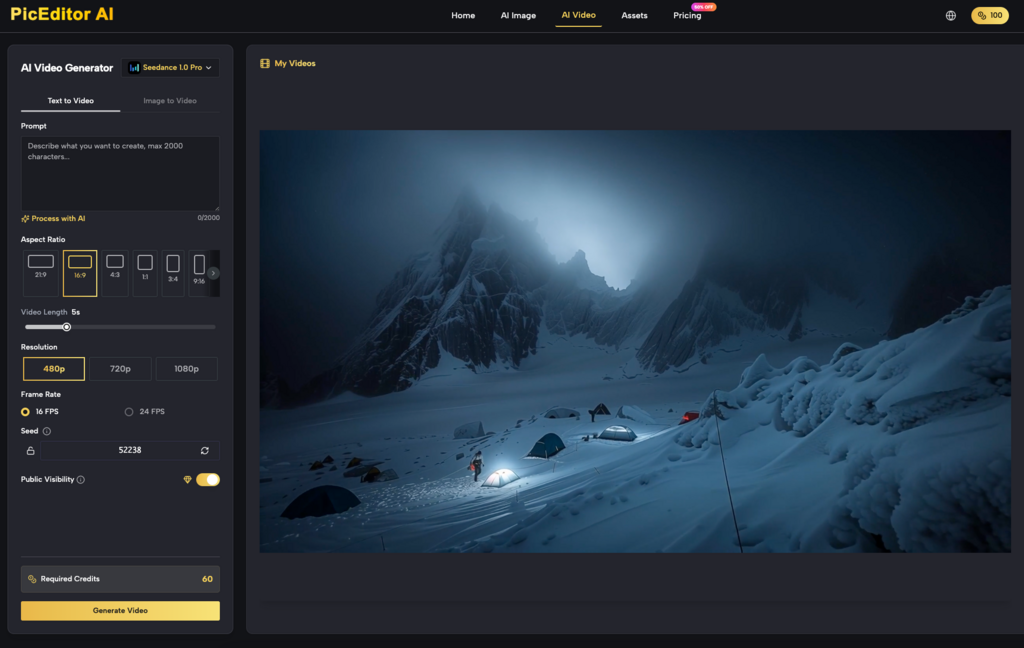
The Multi-Stage Workflow: From Seedream to Motion Engine
Successful content teams are moving away from the “magic button” mentality and toward a modular pipeline. This workflow treats the generation as a multi-stage process rather than a single event.
Phase 1: Generating the Hero Frame
The process starts with generating a high-parameter “Hero” frame. Using models like Flux or Nano Banana within an AI Photo Editor environment allows creators to establish the aesthetic intent. At this stage, you aren’t worried about motion; you are only worried about the “vibe” and the composition.
Phase 2: Surgical Refinement
Once the Hero frame is generated, it rarely comes out perfect. There might be an extra finger, a strange architectural glitch in the background, or lighting that doesn’t match the intended mood. This is where the AI Image Editor comes in. Teams use face swap features for character consistency or object erasers to fix anatomical errors. This step is critical because any anatomical error in the static frame will be magnified exponentially once it starts to move. If a hand has six fingers in the photo, the video engine might try to turn those fingers into an entirely different object.
Phase 3: The Motion Hand-off
The cleaned, upscaled, and light-corrected image is then fed into a motion engine like Seedance or Runway. Because the image is “clean,” the AI is forced to focus only on temporal changes. It doesn’t have to guess what the subject looks like; it only has to guess how that subject moves through time.
The Boundaries of Control: What Static Prep Cannot Fix
Despite the massive improvements in AI Photo Editor tools, it is important to reset expectations regarding what image prep can actually accomplish. Even a perfect source image cannot overcome the current architectural limitations of many I2V models.
Complex physics remains a significant hurdle. For instance, liquid dynamics—like pouring water into a glass—or intricate hand-over-hand interactions are still highly hit-or-miss. You can prepare a perfect image of a person tying their shoelaces, but the motion engine will likely struggle because it doesn’t yet have a robust “world model” for how strings and fingers interact in three dimensions.
There is also the “First Frame Bias.” Some models are trained so heavily on high-quality static photography that they struggle to believe the subject should move. If your source image looks too much like a professional studio portrait, the AI may interpret the “correct” motion as being almost non-existent. There is a strange uncertainty here: sometimes, adding a tiny bit of intentional “motion blur” to the static image in your AI Image Editor can actually help the video model understand that movement is intended.
Conclusion: Building Repeatable Creative Pipelines
The transition from text-to-video to image-to-video represents a maturing of the generative AI field. We are moving away from the novelty of “random generation” and toward the precision of “directed production.”
Professional generative media is no longer about who can write the best prompt; it’s about who can build the most reliable pipeline. By treating the AI Image Editor as a pre-production tool, creators can dramatically increase their “hit rate,” reducing the amount of wasted compute and time spent on unusable video renders.
The future of AI content creation isn’t found in a single tool that does everything. It’s found in the sophisticated hand-off between specialized editors and powerful motion engines. Mastering the surgical preparation of the static frame is the only way to ensure that when you finally hit “generate” on that video, the result is a controlled, cinematic piece of media rather than a chaotic hallucination.
