A profile picture used to be a cropped photo. Today many people represent themselves with a stylised character: in games, on social platforms, in team chats, in online communities and on video channels. An avatar can say a lot about you in a very small space, which is why it is worth designing on purpose instead of accepting the first default.
How to Design a Digital Avatar That Actually Represents You
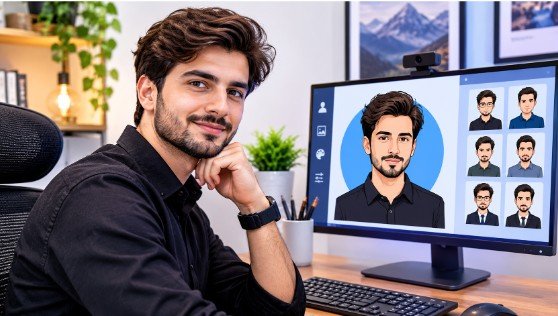
If you are starting from scratch, an avatar maker can speed up the first draft, but the choices that make an avatar work are the same whatever tool you use. This guide covers how to decide what your avatar is for, how to design it, and how to use it safely.
Why Avatars Matter
An avatar is often the first thing people see before they read a word you have written. It signals tone, personality and context. A friendly cartoon suits a casual community, a polished illustrated portrait fits a professional profile, and a mascot works well for a brand or a creator channel. It also lets people take part online without sharing a photo of their face, which many value for privacy.
Start With the Purpose
Before choosing colours or hairstyles, answer three questions:
- Where will it appear? A gaming profile, a work chat and a video channel have different expectations.
- Who will see it? Friends, colleagues, customers or strangers?
- What should it say? Approachable, expert, playful, mysterious?
Your answers decide how realistic, how colourful and how detailed it should be.
Choose a Style
| Style | Best for | Watch out for |
| Realistic | Professional profiles, virtual meetings | Can look odd if almost, but not quite, lifelike |
| Stylised or cartoon | Social media, communities, gaming | May feel too casual for formal settings |
| Anime or illustrated | Creative communities and fandoms | Style trends change quickly |
| Mascot or character | Brands, channels, streamers | Needs a consistent design across uses |
| Abstract or symbolic | Privacy-focused users | Less personal, harder to recognise |
Pick one style and stay with it. Mixing styles across platforms makes you harder to recognise.
Design Choices That Matter
Keep the silhouette clear. Avatars are usually shown very small. A strong shape, a clear face and a limited number of details read better than a busy design.
Use a limited colour palette. Two or three main colours with one accent look intentional. Check that the avatar stands out against both light and dark backgrounds.
Prioritise the face. Expression carries most of the personality. A slight smile or a distinctive pair of glasses can make an avatar memorable without clutter.
Add one signature feature. A particular hairstyle, accessory or colour helps people recognise you at a glance.
Check the crop. Many platforms display avatars in circles. Place the important parts in the centre so nothing is cut off.
Test it small. View your avatar at the size of a notification icon. If it is unclear, simplify it.
Consistency Across Platforms
Using the same avatar, or clear variations of it, across your accounts builds recognition. Keep the main features the same and adapt only the background or framing for each platform. If you are a creator or run a small business, treat the avatar like part of your brand, along with your name, colours and tone of voice.
Privacy and Safety
A stylised avatar can protect your identity, but a few habits help:
- Avoid details that reveal personal information, such as your workplace, school logo or location.
- Be careful with realistic likenesses of yourself if you want to stay anonymous.
- Check where your uploads go. If a tool asks for a photo, read how it stores and uses that image.
- Do not imitate real people or use a copyrighted character as if it were your own.
- Respect community rules. Some platforms restrict impersonation or require disclosure of synthetic imagery.
Using Avatars Professionally
If you plan to use an avatar for work, keep it clean and appropriate. Choose neutral backgrounds, avoid anything that could be read as offensive, and make sure it matches how you present yourself elsewhere. For client-facing or public roles, a realistic or lightly stylised portrait is usually the safer choice. For commercial use, check the licence terms of whichever tool you used to create it.
A Quick Checklist
- Define where the avatar will be used
- Pick one clear style
- Keep the design simple with a strong face and one signature feature
- Check it at small sizes and on light and dark backgrounds
- Review privacy and licence terms
- Reuse it consistently
Frequently Asked Questions
Do I need design skills to create an avatar?
No. Simple choices and a clear idea matter more than technical skill.
Should my avatar look like me?
It depends on your goal. A likeness builds personal recognition, while a stylised or symbolic design offers more privacy.
Can I use my avatar commercially?
Check the licence terms of the tool you used. Rules differ between tools and plans.
How often should I change it?
Only when your style or purpose changes. Frequent changes make you harder to recognise.
The Bottom Line
A good avatar is deliberate. Know where it will be used, choose one style, keep the design simple, protect your privacy and use it consistently. Do that and a small image will quietly do a lot of work for you.